1. Creating CTLearn Model Managers
The first step is to create your ctlearn_model_index file (the Manager will create it for you if it does not exist). It is a HDF5 file containing a table per model.
It contains one table per model, regardless of the task it is used for. The parameters table contains the general information about your model, such as its name, directory, reconstruction task, channels, telescopes, and training epochs.
Other tables store the training and testing data, the IRFs, and the DL2 files for MC and real data. That way, CTLearn Manager can easily retrieve all relevant data for the plots and IRF production explained below, without the user needing to remember.
Create a model manager
First, define a model index where the Manager’s data will be stored.
# Where all the models are stored
MODEL_INDEX_FILE = "/path/to/your/ctlearn_models_index.h5"
Note
The directory structure is as follow:
model_dir
├── model_nickname
│   ├── model_nickname_v0
│   ├── model_nickname_v1
│   ├── model_nickname_v2
Your model needs training data.
Create a series of TrainingSamples for your model. Each TrainingSample contains the path to the training files.
Warning
Each TrainingSample must contain files from only one type of particle (see the ParticleType class for supported particles).
Each TrainingSample must also contain files with the same pointing. If you wish to train your model on multiple pointings, you need to create a TrainingSample for each pointing.
# Training samples
training_samples = [
    DataSample(directory='/path/to/your/MC/Gamma_diffuse/20deg/merged/training/',
            pattern="gamma_diffuse*.h5"),
    DataSample(directory='/path/to/your/MC/Proton_diffuse/20deg/merged/training/',
            pattern="proton*.h5"),
]
Finally, create the CTLearnModelManager object with the general parameters of your model.
Note
The model_dir is the parent directory. A new dirctory will be created inside, with your model nickname. Inside this directory, new directories will be created for each versions of your model, if you train in multiple times.
model_dir
├── model_nickname
│   ├── model_nickname_v0
│   ├── model_nickname_v1
│   ├── model_nickname_v2
# General parameters
reco = 'type' # ['energy', 'type', 'cameradirection', 'skydirection']
model_parameters = {
    'model_nickname' : f"{reco}_tel2_20deg",
    'model_dir' : "/path/to/your/CTLearn_Models/", # Main directory, will contain a nw directory with you model, named after the model_nickname
    'reco' : reco, #['energy', 'type', 'cameradirection', 'skydirection']
    'telescope_names' : ['IACT_2'], # List of telescopes names
    'telescope_ids' : [2], # List of telescope ids
    'max_training_epochs' : 5, # Can be changed later for training.
    'training_samples' : training_samples,
    'stereo' : False, # True if stereo reconstruction, False if mono.
#### OPTIONAL PARAMETERS
    # 'channels' : ['cleaned_image', 'cleaned_relative_peak_time'], # Order matters.
    # 'min_telescopes' : 1, # Minimum number of triggered telescopes for each events to be used in the model, if >=2, model will be stereo.
    # 'notes' : "Tel2 model for 20deg zenith distance",
}

new_model = CTLearnModelManager(model_parameters, MODEL_INDEX_FILE)
Visualisation
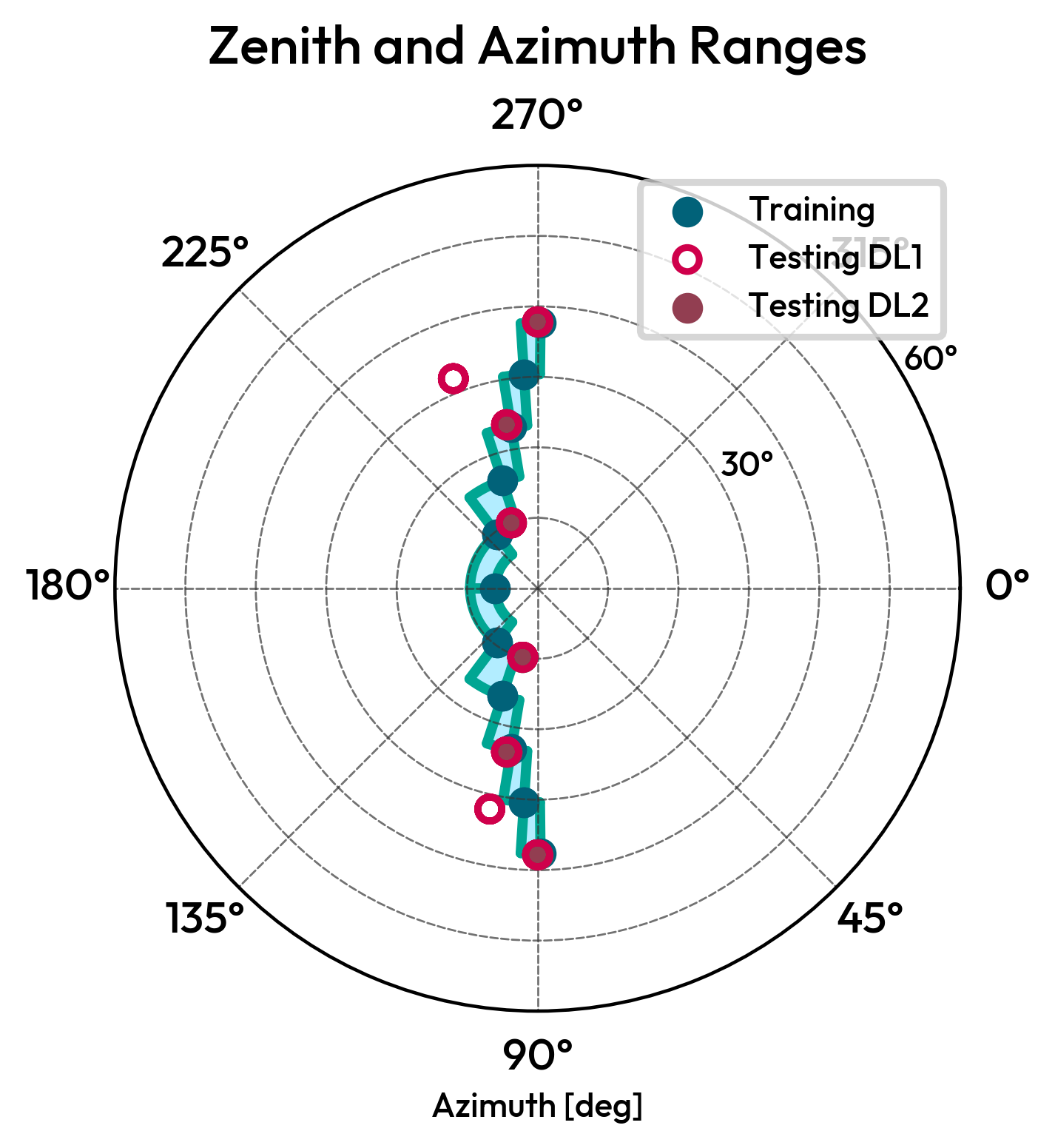
In order to check if your model is correctly set up, you can plot the zenith and azimuth ranges of your training data, as well as the training nodes.
new_model.plot_zenith_azimuth_ranges()
new_model.plot_training_nodes()